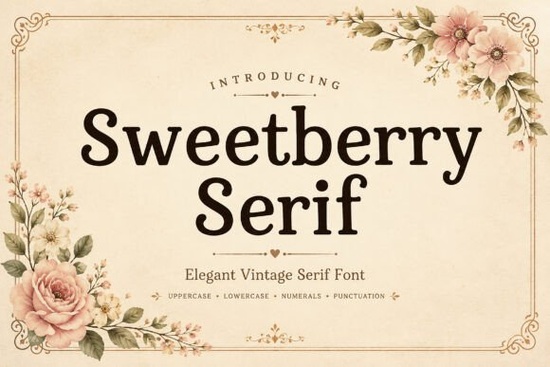
If you're looking for a serif font that feels both classic and friendly something that works just as well on a hand-lettered wedding invite as it does on a small-batch jam label you’ll likely enjoy Sweetberry Serif Font. It’s not overly formal, but it’s never casual either. Think of it as the kind of typeface you’d choose for a local bakery’s chalkboard sign or a boutique skincare brand’s packaging: warm, legible, and quietly confident.
What makes Sweetberry Serif different from other serif fonts?
Many serif fonts lean heavily into either strict tradition (like Times New Roman) or sharp modern minimalism (like Playfair Display). Sweetberry Serif sits comfortably in between. Its soft curves and subtle vintage details like gently flared serifs and open counters give it personality without sacrificing readability. You’ll notice how the lowercase “a” and “g” have gentle, rounded shapes, and how the uppercase letters carry just enough weight to stand out on packaging or social media thumbnails.
It’s also carefully spaced and kerned, which means less manual tweaking when you’re designing logos or product mockups. That’s especially helpful if you’re working across multiple formats say, a Canva template for Instagram posts and a printable PDF for wedding stationery.
Where does it work best?
This font shines in contexts where tone matters as much as typography. Here are a few real-world uses:
- Branding for small businesses Think coffee roasters, handmade soap makers, or indie bookshops wanting a refined but approachable voice.
- Print-on-demand products Works beautifully on mugs, tote bags, and greeting cards, especially when paired with simple line art or watercolor textures.
- Editorial layouts Whether it’s a seasonal newsletter or a mini zine, The Simple Editorial Font and Sweetberry Serif share a similar thoughtful rhythm, making them easy to pair.
- Wedding and event design Invitations, menus, and signage benefit from its balance of elegance and ease.
How does it compare to other popular serif fonts on Creative Fabrica?
If you’ve used Gibs Font, you’ll appreciate how Sweetberry Serif offers more delicate contrast and softer transitions between thick and thin strokes. Compared to Sharp History Font, it’s less dramatic and more suited to everyday use less “antique store sign,” more “your favorite neighborhood café.” And while Modern Serif Bundle gives you variety and flexibility, Sweetberry Serif stands out for its consistency and quiet charm across weights and styles.
It’s designed to be versatile not flashy. You won’t find dozens of alternates or swashes, but you will get clean OpenType features like standard ligatures and contextual alternates that improve flow in longer text blocks.
Who is this font really for?
Designers who value clarity and craft over trend-chasing. Crafters who want their printed labels or digital stickers to look intentional not generic. Print-on-demand sellers who need fonts that render well at small sizes on product mockups. Small business owners who don’t have a designer on staff but still want their branding to feel cohesive and considered.
It’s also beginner-friendly. If you’re new to using fonts in Canva, Adobe Express, or Cricut Design Space, Sweetberry Serif doesn’t require advanced knowledge to use well. Just pick a size, pair it with a clean sans-serif for body text (like Montserrat or Poppins), and you’re already ahead of most DIY projects.
A note about licensing and usage
The license covers personal and commercial use including selling physical products (like t-shirts or greeting cards) and digital templates (like Canva wedding suite bundles). You can install it on your computer and use it in any desktop app, or upload it directly to platforms that support custom fonts. Just remember: you can’t resell or redistribute the font file itself.
For reference, you can see Sweetberry Serif Font alongside similar options on Creative Fabrica’s site, where user ratings and real project previews help confirm how it performs in practice.
Before downloading or purchasing:
- Check if your design tool supports OpenType features (most do but some web-based editors don’t activate ligatures automatically).
- Preview it in your intended context try typing your business name or a sample headline in a mockup before committing.
- If you plan to use it across multiple projects, consider whether a bundle like Modern Serif Bundle might offer better long-term value.
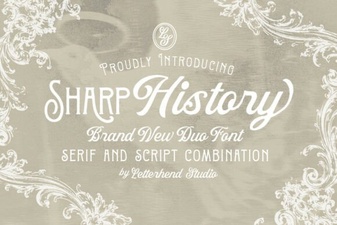 Sharp History Font: Design Tips & Creative Uses
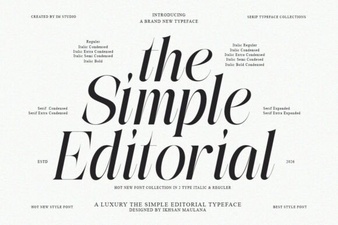 Elevate Designs with Simple Editorial Font Style
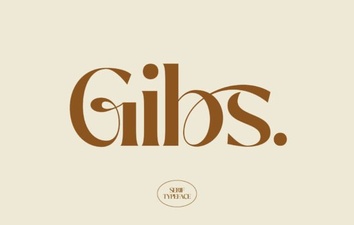 Gibs Font: Perfect for Modern Ui and Website Design
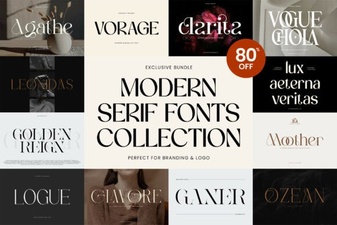 Modern Serif Font Bundle for Designers & Creators
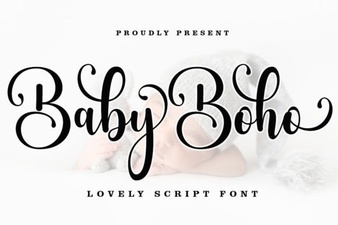 Boho Baby Fonts for Modern Nursery Projects
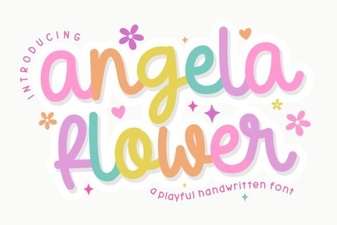 Angela Flower Font Design and Creative Projects